ClinicalStack capabilities at a glance
Minutes
to build a full schedule
Conflict-free
coverage across sites
One staff pool
shared across locations
HIPAA-aligned
secure by design
Automated
swaps and time-off
Two ways to use ClinicalStack
Start where you are and grow into the full toolset. Both run on the same AI scheduler.
AI Assistant
For solo providers and small practices
Watch a week get scheduled
The same clinic week, built once in each product. About a minute each, narrated.
AI Assistant
1 min · solo providers and small practices- Ask for a new location in a sentence
- Add the staff who work there, by name
- Ask for the week, then read the preview
- Confirm, and the calendar fills in
Why teams choose ClinicalStack
Full-pool scheduling
Auto-assign pulls from every location at once, so no site is left short.
Fewer conflicts
AI checks coverage, hours, and availability before anything publishes.
Less back-and-forth
Staff request swaps and time-off in plain language, and AI coordinates the schedule.
Fits your workflow
Export schedules and payroll-ready hour totals whenever you need them.
Built for Every Type of Medical Practice
From emergency departments to specialty clinics, ClinicalStack adapts to your unique scheduling challenges
Emergency Room Staff
Coordinate complex shift patterns for ER physicians, nurses, and technicians. Handle last-minute call-outs and ensure proper coverage during peak hours.
Urgent Care Centers
Manage multiple locations with varying hours. Balance staff across sites while accommodating part-time schedules and provider preferences.
Residents & Medical Students
Schedule rotations, duty hours, and educational requirements. Ensure ACGME compliance while balancing clinical experience and rest periods.
EMS & Paramedics
Coordinate ambulance crews, manage 24/7 operations across multiple stations and vehicles with optimal coverage.
Specialty Clinics
Handle specialized provider schedules with procedure time blocks, room and equipment availability, and per-role coverage rules.
Hospital Float Pools
Deploy float nurses dynamically across departments. Track skills and assign to units needing additional coverage.
AI Scheduling Capabilities Built for Healthcare
How ClinicalStack Transforms Your Workflow
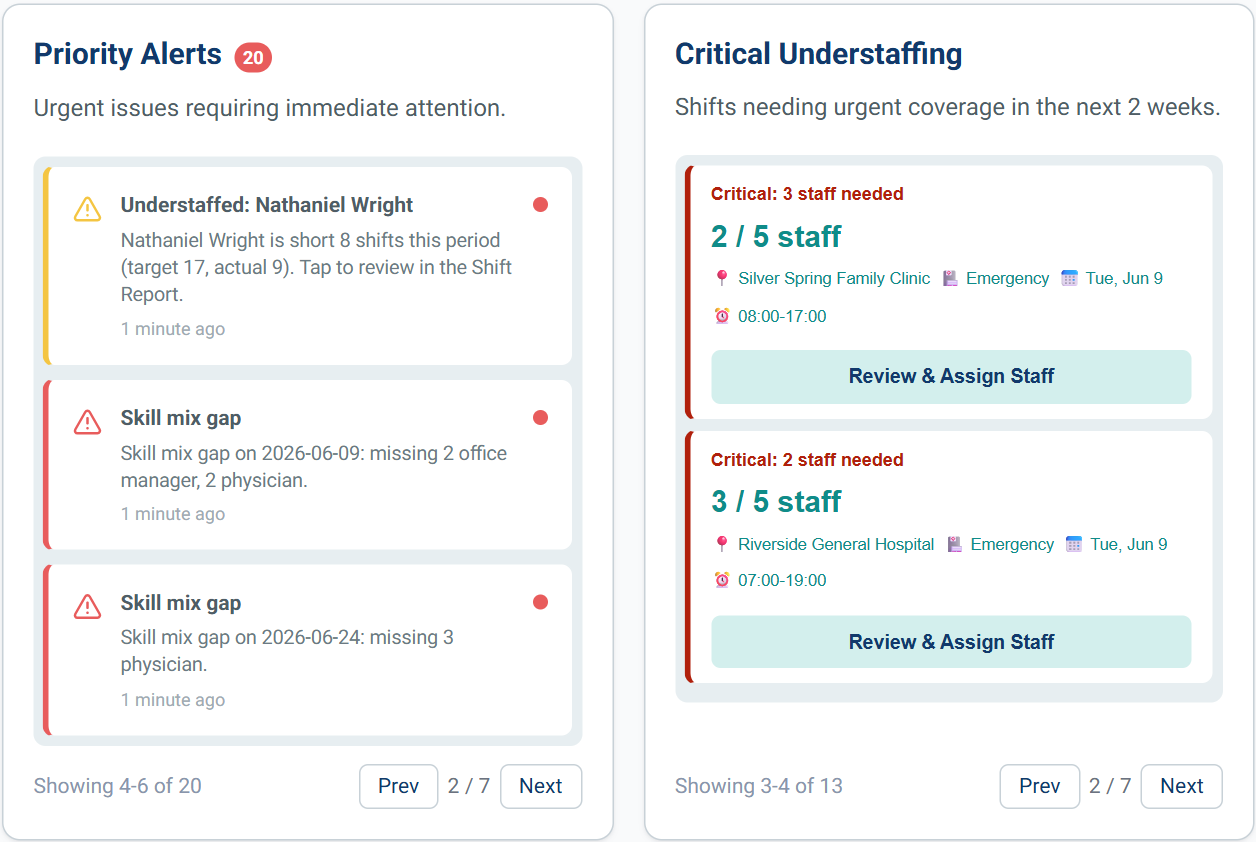
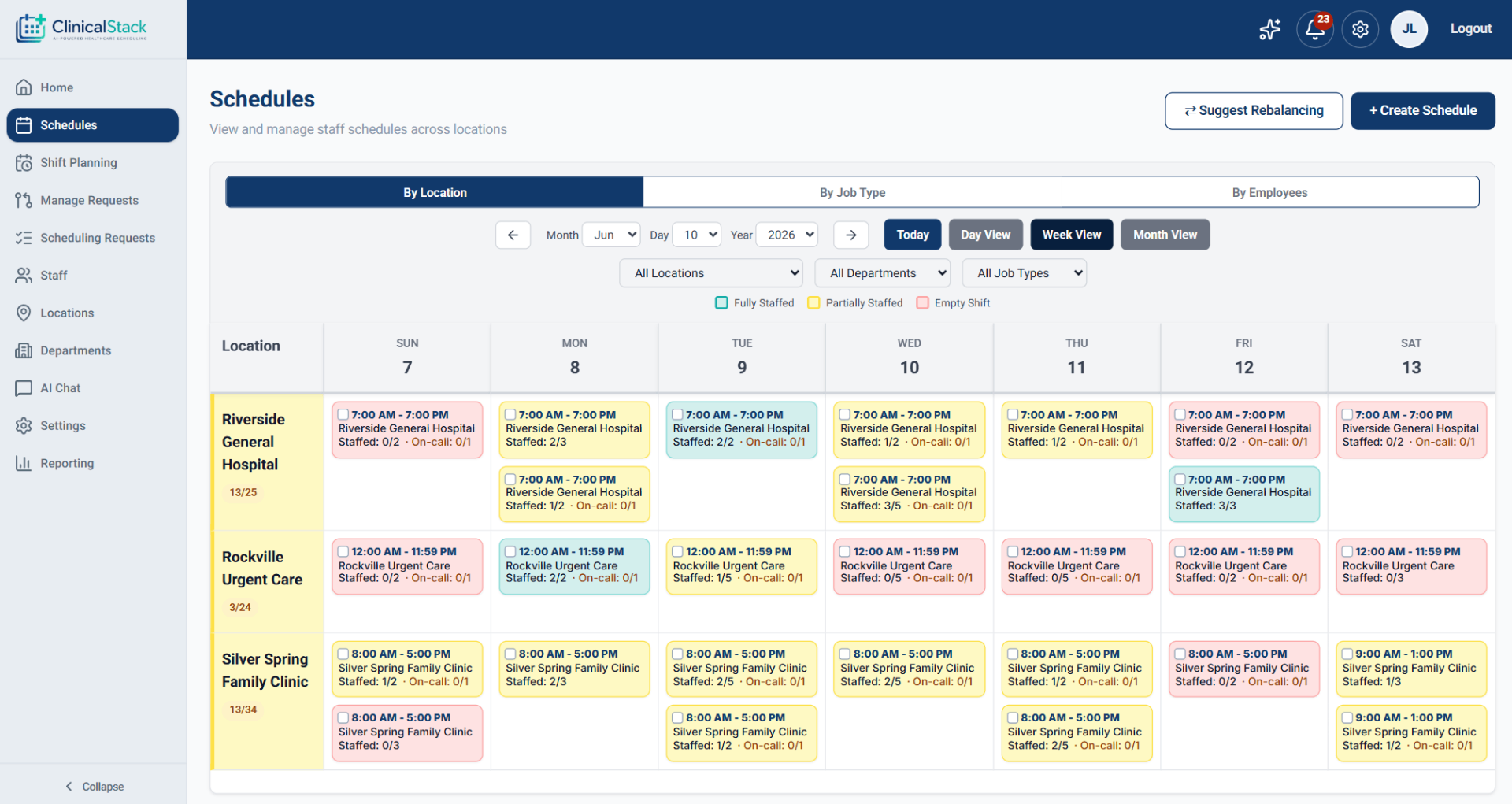
Know staffing needs before they happen
Set the coverage each location and role needs, and ClinicalStack builds the schedule to match it, flagging gaps and overtime before the month starts. Coming soon: forecasting that analyzes your historical patient volume, seasonal trends, and appointment patterns to predict busy periods and recommend staffing levels for each shift.
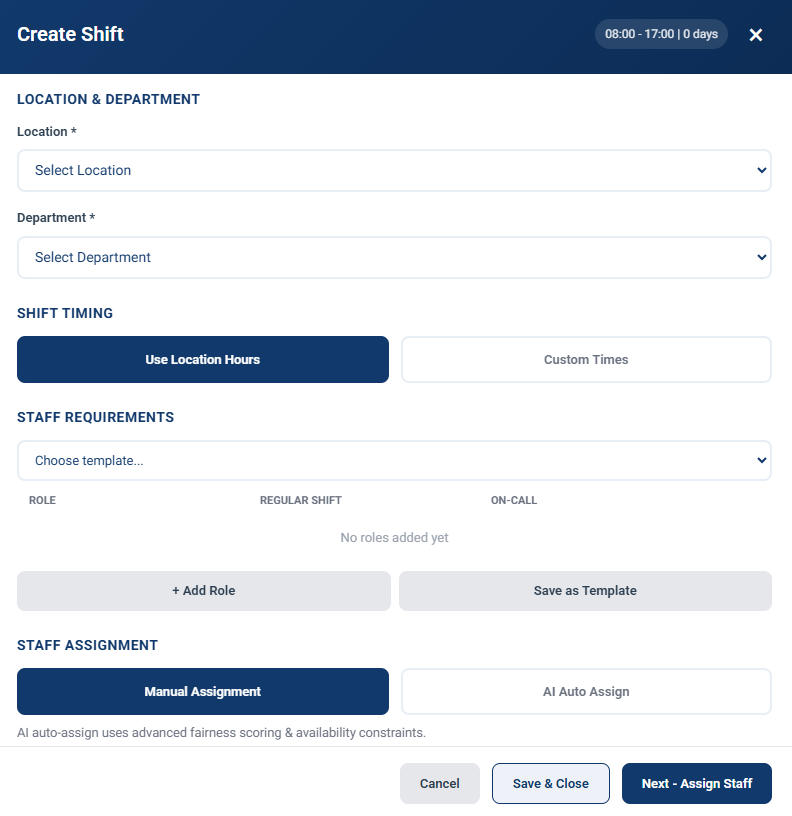
Create schedules in minutes
Stop wasting hours building schedules. View all staff availability, click 'Generate Schedule' and watch AI create a balanced, conflict-free schedule.
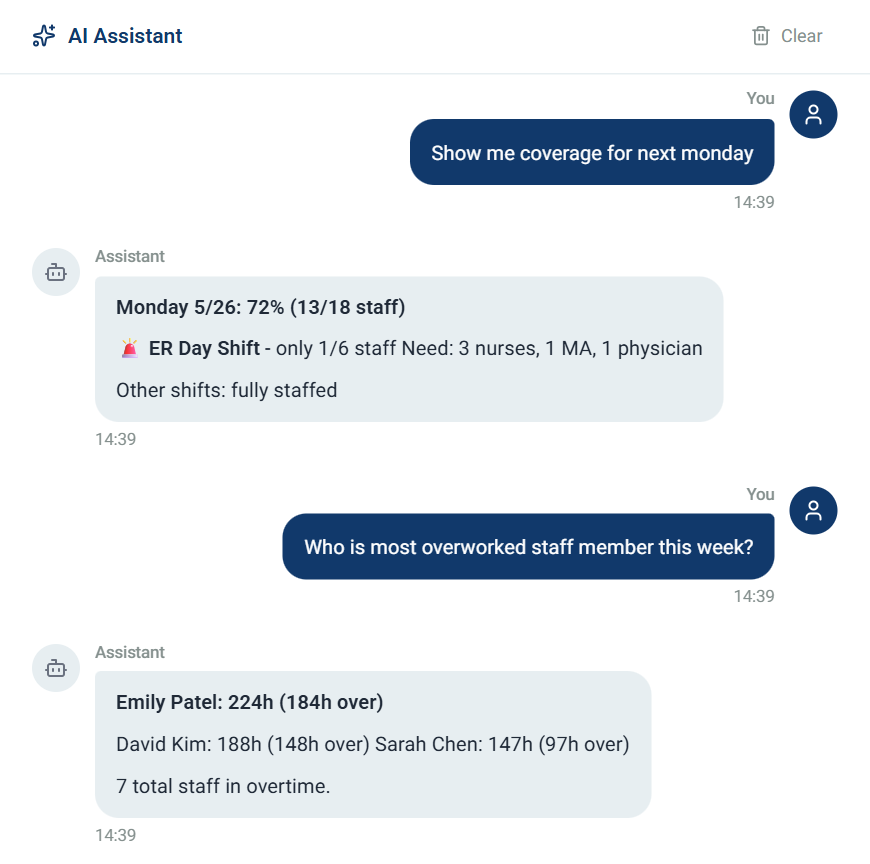
No more constant texts or being stuck in the middle
Staff text or email their requests in plain English. AI validates, checks coverage, coordinates the swap, and updates the schedule. All automatically.
Works with the tools you already use
Export your schedules and hours whenever you need them, so getting numbers into payroll and timesheets stays quick and simple.
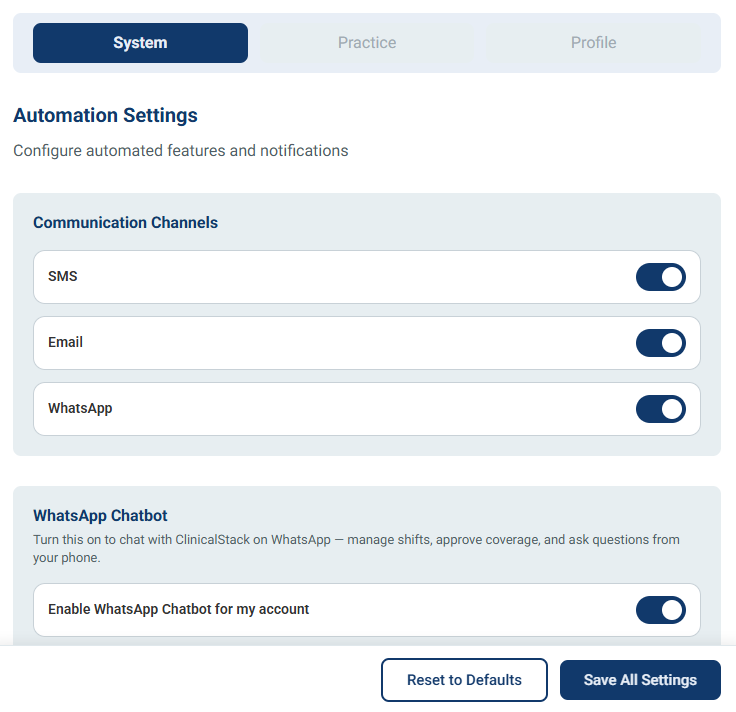
Run your whole schedule from a chat
Made for solo providers and small practices that do not want another dashboard to learn. Tell the assistant your locations and who is on your team, and it builds the schedule for you. Everything happens in the chat, so there is nothing else to set up.
Add Dr. Lee at Riverside and build next week for the clinic.
Done. I added Dr. Lee and drafted Monday to Friday for Riverside. Two gaps on Wednesday afternoon, want me to fill them?
Yes, fill them and give everyone a lunch break.
All set. Wednesday is covered and every shift over six hours has a break. No conflicts.
Two products, one platform
Pick the AI Assistant for a small practice or the full Scheduling Platform for larger groups
For solo providers and small practices that want to run scheduling by chat. Add your locations and staff, build and adjust schedules, and handle time-off and swaps in plain language, while the AI does the assigning and conflict checks for you.
Solo
Under 10 staff
For a single provider or a small team getting started
All plans include a 14-day free trial
Card required to start. Cancel any time before your trial ends and you will not be charged.
Frequently Asked Questions
Everything you need to know about getting started